Lens reads the objects in a photo, image search finds copies of it, and a face search finds the same person in other photos. Six everyday jobs and the tool for each.
- Google Lens vs reverse image search: which one should you use?
- Use Google Lens to identify a product, place or piece of text. Use a reverse image search, which on Google now runs through Lens, to find where an exact picture was posted. Use a face search when you want other photos of the same person, because Google is built not to match faces.
Most people treat Google Lens, Google Images and a face search as three names for one tool. They aren't. Each one is built to match something different, and that is why the same photo can return shoes on one, a stock photo site on another and a stranger's wedding album on the third.
This post takes six everyday jobs and says which tool to open first. For the full side-by-side, see the Google Lens comparison page.
Google Lens vs reverse image search: what does each one match?
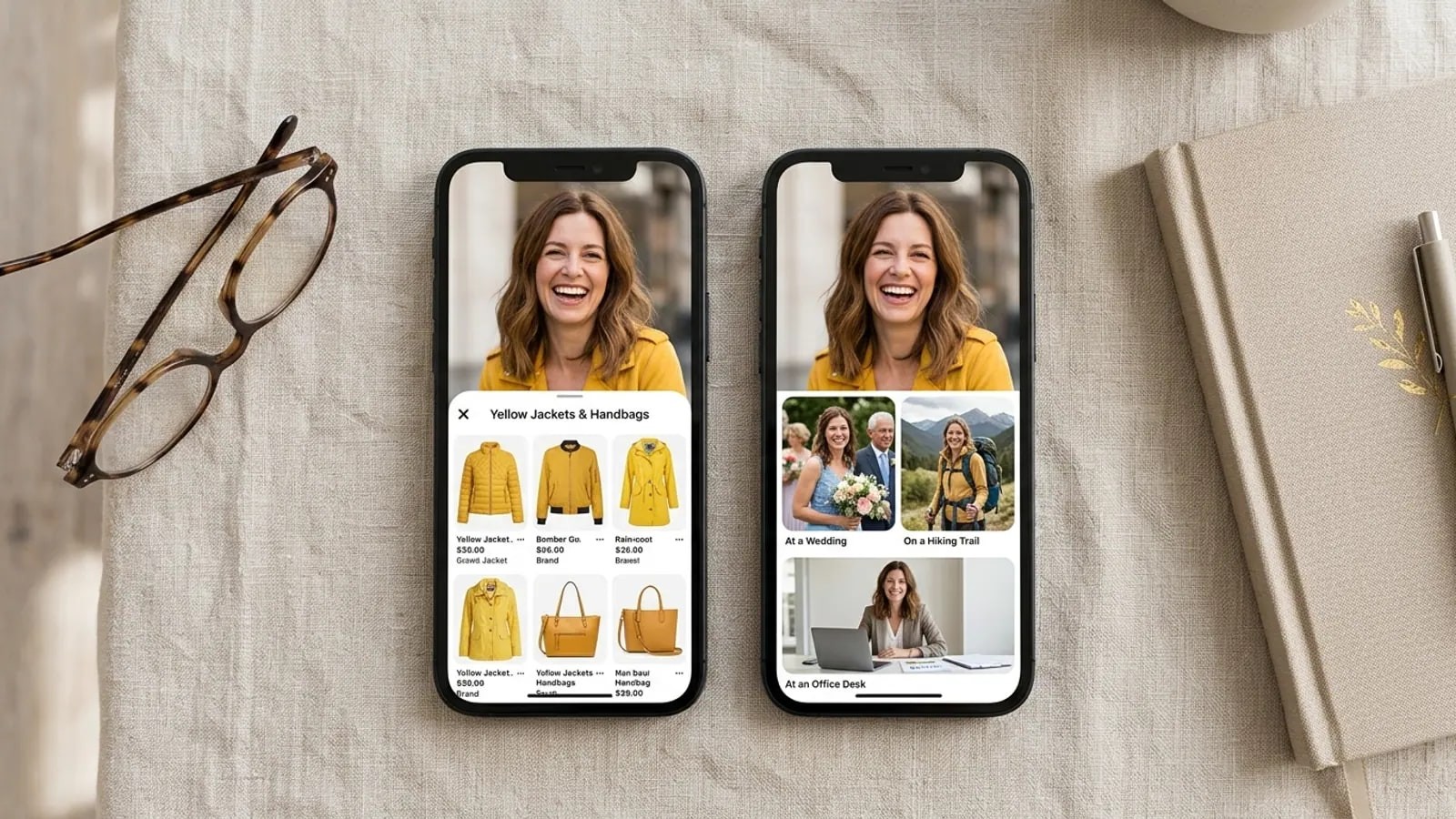
Google Lens looks at what is in the picture. Google's own Lens page lists what it is for: finding who makes a product and where to buy it, translating signs, naming plants and animals, and learning about artwork and landmarks.
Google reverse image search is the "Search by image" button on google.com. According to Google Search Help, it now hands your photo to Lens, and the results can include similar images and "websites with the image or a similar image." In practice: copies of the picture, edited versions, and pictures that only look alike.
A face search ignores everything around the face. It measures the face and looks for faces with similar measurements on public pages, so it can find a different photo of the same person taken years apart. The face search vs reverse image search explainer covers the technology.
Can Google Lens do a face search?
No, and that is a choice Google made. On a YouTube Help page about Lens, Google states: "We don't use any biometric facial recognition with Lens." The same page adds that Lens may still show results for notable public figures.
Google's wider statement on facial recognition says the company has been "cautious about deploying face recognition in our products." So a fresh selfie returns clothes and similar portraits, not your other photos, unless that exact picture is already public.
A clean Google result for a person's photo only means this file was not found, not that the person has no other photos online.
Which tool should you use for each job?
Here is the short version, checked against Google's help pages in November 2026 (Google Search Help).
| Job | Open first | Why | Second try |
|---|---|---|---|
| Find a product you saw | Google Lens | Built for objects, prices and shops | Crop to the product and search again |
| Find where a photo was first posted | Google "About this image" | Shows when Google may have first seen it | TinEye sorted by oldest |
| Find a higher-res copy | TinEye | "Biggest Image" sort puts the largest copy on top | Open the Google pages that host the same picture |
| Check a dating profile photo | Google image search, then a face search | Google catches stolen stock and model shots; a face search catches the same face under other names | Read the source pages before you trust either |
| Find other photos of your own face | Face search | Google won't match a face to other photos |
A worked example
Say a match on a dating app sends you a photo: a woman in a yellow jacket on a beach. On Lens, you'll likely see yellow jackets for sale and other beach portraits. On Google image search, you'll see any page that already posted that exact picture, such as a model's portfolio. A face search looks past the jacket and the beach and returns other public photos with a similar face, which is the list that tells you whether the name on the profile fits. The catfish check guide shows how to read both.
Where does Google beat a face search?
On most jobs that aren't about a face.
- Copies of a known picture. If someone reposted your exact photo, Google usually finds it fast and free.
- Source and age. Google's About this image tool shows when Google may have first seen the image and highlights early uses. It's only available in some regions, and Google warns the metadata can be edited.
- Size of index. Google crawls far more of the web than any face engine, ours included.
- Products and places. Lens also reads and copies text. A face search does none of that.
- Cost. Lens is free with no account.
For a higher-resolution copy, TinEye is often quicker than Google. Its help page says the Biggest Image sort moves the largest version to the top, and the owner usually has that one.
Why is Google reverse image search not working?
Usually it is working, just on a different question from yours. Common reasons for an empty or junk result:
- You want a person, and Lens won't match faces. See the policy above. Switch to a face search for this job.
- The photo was never public. Image search only finds pictures already posted on pages Google has crawled. A photo from a private account, a chat, or an AI generator leaves no copy to find.
- You searched the whole frame when you meant one thing. Google's Android help page says to select a smaller area for better results. Drag the box around the product or the sign.
- You searched a tight face crop. Image engines see skin and hair and return thousands of random portraits. Give Google the full original frame instead.
- Chrome isn't using Google. On Android, searching website images with Lens in Chrome needs Google as the default search engine, per the same help page.
On iPhone, the steps differ a little; our post on reverse image search on iPhone covers Safari, Photos and the Google app.
What about checking a person with a face search?
This is the one job Google leaves to other tools. A face search like FaceSearch compares the face, returns public pages where a similar face appears, and lets you open each source. How it works explains the matching, and results explained shows how to read a list.
Know its limits. It searches the public web only, so private accounts are out of reach. It returns pages, not names, and look-alikes show up, so a match is a lead to check, never proof of who someone is.
Use it on your own face, or to check someone you're already dealing with, such as a dating match or a seller. Don't use it to track down a stranger; our responsible use rules set out what is allowed. If you're weighing other engines, the comparison hub lines them up, and alternatives to Google reverse image search ranks them for this job.
frequently asked
- Is Google Images reverse search the same as Google Lens?
- For practical purposes, yes. Google's help pages describe the "Search by image" button on google.com, the Lens icon in the Google app and the "Search with Google Lens" option in Chrome as routes into Lens. All of them return results for objects, similar images and websites with the same or a similar picture.
- Does Google Lens save the photos I upload?
- The photo you search with is sent to Google, and Google's help page for computers says it may store the image links you search. How long anything is kept depends on your Google account settings. Use a photo you're comfortable sharing, and read Google's privacy settings for your account if you want to know what it keeps.
- Can Google Lens find a private Instagram or Facebook account?
- No. Lens only sees pages Google can crawl, and private profiles are not among them. A face search has the same limit. If the photo you hold came from a private account, a clean result on both tools tells you very little about where else it lives.
- Why does Google Lens show celebrities who look like me?
- Lens matches the look of the whole picture, such as pose, lighting and framing. It doesn't measure your face. If a well-known person has a similar photo with the same angle and colours, it can rank high. Google also says Lens may show results for notable public figures, which adds famous faces to the mix.
- google lens
- reverse image search
- face search
Written by
The FaceSearch Team
Product & Research, FaceSearch
We build FaceSearch, the face search engine that shows where your photos appear on the public web.